

Before: a heat pump spot shot in the fall of 2024. A technician on a clean install, a smiling homeowner, and a voiceover promising up to $3,200 back through the federal tax credit, with the same claim in on-screen text. Plenty of HVAC companies ran something like it, and it was accurate through 2025.
After December 31, 2025, the credit ended and the whole spot became unusable, because the claim was baked into the voiceover and the graphics. Compare that to the same install footage cut into standalone scenes, with the offer living on a separate end card and a separate voiceover line. When the credit ended, the fix was swapping one card, not booking a new shoot.
That is the difference between HVAC video ads that last for years and ads that expire with the promotion. Heating season is the best time to capture the footage, because the conditions you want on camera only show up when it is cold. Here is what to film, how to cut it, and how to keep the expiring parts out of the footage.
Key takeaways
- The 25C credit is gone. The IRS confirms it is not allowed for property placed in service after December 31, 2025, so any ad still claiming it is wrong.
- Separate footage from offers. Film evergreen scenes and record every price, rebate, and deal as a swappable 3 to 5 second end card and voiceover line.
- Shoot six scenes. Arrival, diagnosis, install, the house warming up, the customer, and the team cover nearly every ad you will need.
- One shoot, every format. Shoot 16:9 with the action centered so you can crop to 9:16 and 1:1, and cut a 30 second or shorter clip for your Google Business Profile.
- Film now, edit in Q1. Shoot from the first cold snap through February so 2027 footage is cut and ready before next fall.
The 25C tax credit footage that expired on December 31, 2025
Any HVAC video ad that mentions the federal heat pump or energy efficiency tax credit has been inaccurate since January 1, 2026. Under the One Big Beautiful Bill, the IRS states the 25C credit will not be allowed for any property placed in service after December 31, 2025.
The Energy Efficient Home Improvement Credit was worth 30% of qualified costs, up to $3,200 a year, for improvements made from January 1, 2023 through December 31, 2025. Those are exactly the numbers that ended up in voiceovers, lower thirds, and end cards. Public Law 119-21, signed July 4, 2025, ended it, and the 25D residential clean energy credit also ended for spending after December 31, 2025.
As of this October 2026 update, any spot with a tax credit claim in the audio or on screen has been off limits for about 10 months. If that claim was spoken on camera by a technician or the owner, there is no clean way to edit it out.
Why this keeps happening to good footage
The tax credit is the loudest example, but every promotion has a shelf life. Prices, utility rebate amounts, financing rates, “this winter only” deals, and model-year claims all go stale, usually faster than the footage around them.
There is a second problem. AI assistants trained on older content may still describe the 30% credit as current, so homeowners can show up to a sales call expecting money that no longer exists. Give your CSRs and comfort advisors a one-line answer ready to go. We cover more of these budget leaks in the biggest commercials mistakes that waste budget.
Evergreen scenes plus swappable offer cards
Film evergreen footage (real installs, no-heat calls, technicians working in cold weather) as standalone scenes. Record each offer as a separate 3 to 5 second end card and a separate voiceover line. When an offer expires, you swap the card and the line instead of reshooting the commercial.
The practical test is simple: if it could be untrue a year from now, it does not belong in the footage. It belongs in a layer your editor can replace in an afternoon.
| Element | Evergreen or expires | Where it should live |
|---|---|---|
| Technicians, trucks, uniforms, real homes | Evergreen | In the footage |
| Brand name said out loud, logo | Evergreen until a rebrand | Footage and voiceover |
| Phone number, service area, 24/7 claims | Mostly evergreen, check yearly | Lower third or end card |
| Prices and “$X this month” offers | Expires | Swappable end card and voiceover line |
| Rebates, utility programs, tax credits | Expires | Swappable end card, never in on-camera dialogue |
| Dates, years, model-year claims | Expires | Swappable card, or leave it out |
This is also why some HVAC commercial ideas that rank well age badly. A Reel that ends with a priced tune-up offer spoken on camera is a one-season asset. The same Reel with a neutral close and a separate offer card can run for years.
Build an offer and voiceover library you record separately
Record the swappable pieces in their own session, after the footage is shot. Treat it like a parts shelf your editor pulls from.
- Brand open. A 2 to 3 second logo moment with the company name spoken out loud. Google’s ABCDs of effective video ads note that saying the brand name boosts on-screen branding.
- Neutral close. “Call [company] today” with no offer attached. This is your default whenever nothing is running.
- Offer cards. One card and one voiceover line per offer: tune-up special, financing, maintenance plan, new-customer deal. Each can be retired on its own.
- Seasonal lines. Short lines like “Ready for the first cold snap” that change the feel of a spot without dating it.
- Two reads per line. A tight read for 6 and 15 second cuts, a relaxed read for 30 second cuts.
Pro tip: Record the neutral close first. When an offer expires mid-flight and the new one is not approved yet, the neutral close keeps the ad running instead of paused.
For the planning side of this, including who owns the library and how assets get handed off, see how to plan video production so the assets actually get used.
The winter HVAC video shot list, scene by scene
Shoot six scenes during heating season: the arrival, the diagnosis, the install or repair, the house warming up, the customer, and the team. Each scene should work on its own, so an editor can build a 6 second bumper, a 15 second spot, or a 30 second Business Profile clip from the same footage.
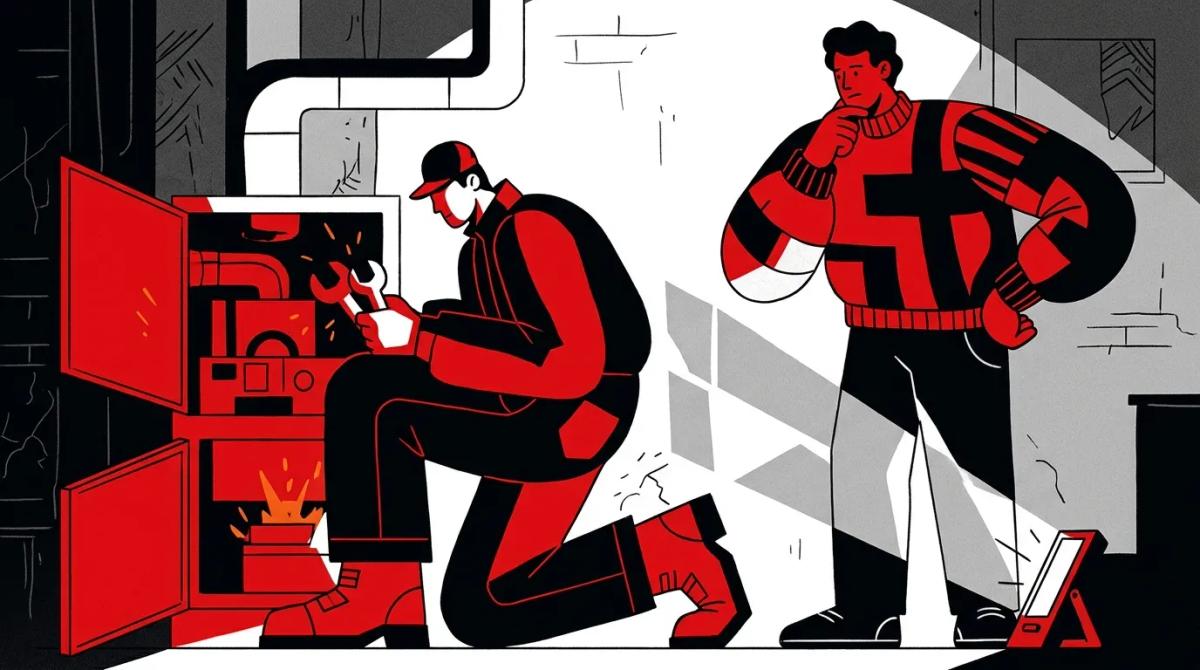
This HVAC video shot list is built for real calls, not staged sets. Your crew shadows the technician and captures what happens.
- The arrival. The truck pulling up in snow or frost, the technician walking up the driveway with breath visible, boots stomped on the mat, shoe covers going on at the door. Grab a wide of the house and a tight shot of the logo on the truck door.
- The diagnosis. A close-up of the thermostat reading low, the panel coming off the furnace, hands checking the igniter or flame sensor, a meter reading, and the technician explaining the problem to the homeowner in plain words.
- The install or repair. The old unit coming out, the new one going in, drop cloths down, a timelapse from a corner of the basement or mechanical room, tight shots of hands and tools, and the final cleanup.
- The house warming up. The thermostat climbing, warm air moving at a register, a kid in socks back on the floor, frost on the window glass with a warm room behind it. This is the payoff shot most HVAC video ads skip.
- The customer. A short, unscripted reaction in the homeowner’s own words, a handshake at the door, the technician waving from the truck. Only with written consent.
- The team. Morning dispatch, trucks lining up in the cold, a CSR answering a call, and the owner on camera saying the company name. These shots anchor brand opens and recruiting cuts too.
This lines up with what Google recommends: get to the story fast, show the brand early and throughout, and feature real people. Google’s Think with Google research says creative accounts for almost 50% of ROI, and that ads following the ABCDs saw a 30% higher sales lift, per Nielsen.
Winter HVAC ads ideas you can cut from these scenes
- The no-heat rescue. Scenes 1, 2, and 4 in 15 seconds: cold house, fast diagnosis, warm house.
- The clean install. Scene 3 as a timelapse with a maintenance plan or financing card at the end.
- Meet the tech. Scenes 1 and 6 with the technician’s first name on a lower third.
- Neighbor proof. Scene 5 alone, which works well for your Business Profile.
Shoot once, cut for every format
Shoot horizontal at 1920 x 1080 or higher, keep the important action in the center of the frame, and you can crop the same footage to vertical and square later. Then cut lengths to match each placement, including a 30 second or shorter version for your Google Business Profile.
Google’s video specs, which apply across YouTube formats, recommend 1920 x 1080 for 16:9, 1080 x 1920 for 9:16, and 1080 x 1080 for 1:1, with 720p as the minimum. Vertical 4:5 is also accepted. The length guidance varies by campaign type:
| Placement | Aspect ratios | Recommended length (per Google) |
|---|---|---|
| YouTube in-video ads | 16:9, 9:16, 1:1 | 15 seconds |
| Video action campaigns | 16:9, 9:16, 1:1 | 10 seconds or longer |
| Video reach campaigns | Bumpers, Shorts (9:16), square | 6 second bumpers; 6 to 60 seconds for Shorts and square |
| Demand Gen | Horizontal, vertical (9:16 or 4:5), square | 10 to 60 seconds, up to 3 videos per orientation |
| Google Business Profile | 720p or higher | Up to 30 seconds and 75 MB |
Google’s Demand Gen cropping and trimming tool can crop to 16:9, 1:1, or 9:16 and trim to anywhere from 5 to 300 seconds. It only works well if the subject sits in the middle of the frame, which is why framing matters on set. The same vertical cut generally serves Shorts and Reels, so one shoot covers YouTube, Meta, and your profile.
Business Profile uploads can take 24 to 48 hours to appear and only show once the profile is verified, so do not upload the morning of a cold snap. For more on stretching one shoot across placements, read how to get more ROI from video production across multiple channels.
Pro tip: Ask your shooter to keep faces, hands, and the equipment inside the center third of the frame. A beautiful wide shot with the technician on the edge will lose him completely in the 9:16 crop.
Cold-weather production checklist and a timeline for 2027 footage
Cold weather is the reason this footage looks real, and it is also what breaks gear and slows crews. Plan for it, and start filming early enough that 2027 footage is edited before next fall.
Cold-weather production checklist
- Batteries. Cold drains camera and mic batteries quickly. Carry extras and keep spares in an inside pocket, not the truck.
- Lens condensation. Going from a cold driveway to a warm basement fogs lenses. Seal cameras in a bag before heading inside and let them warm up before shooting.
- Consent on emergency calls. A family without heat did not sign up for a film crew. Ask first, get a written release on the technician’s tablet, and keep faces, house numbers, and street signs out of frame without it.
- Real conditions as proof. Breath, snow on boots, and frost on windows show viewers this is a real winter call. Do not clean them up.
- Audio. Furnace noise and wind ruin dialogue. Use lavalier mics on the technician and record a few seconds of room tone in each space.
- Nothing that dates the frame. Watch for whiteboards with prices, promo flyers on the counter, old truck wraps, and calendars in the background.
- The job comes first. The crew shadows and does not direct. A slower repair costs you a review, which costs more than any shot.
Timeline to have 2027 footage ready
- November: plan. Finalize the shot list, the offer library list, release forms, and which technicians and crews are willing to be on camera.
- First cold snap: start filming. No-heat calls spike when temperatures drop, which is the same moment your paid media needs adjusting. Our post on Google Ads seasonality adjustments for the first cold snap covers that side.
- December through February: fill the gaps. Schedule installs and team shots for the scenes you have not captured yet.
- February: record the voiceover library. One quiet session for the brand open, neutral close, offer lines, and seasonal lines.
- January through March: edit. Cut master scenes first, then every length and aspect ratio from the spec table.
- September 2027: swap and launch. Drop in the current offer cards, upload Business Profile clips with time to spare, and go live before the first cold snap.
How Ad Leverage plans heating season video shoots
Ad Leverage builds the shot list around the placements your campaigns actually run, then films evergreen scenes and records the offer library in a separate session. That way the footage keeps working after the promotion changes.
Because our team also runs paid search, YouTube, and social campaigns for home-service companies, we cut every format from the same shoot and swap offer cards as promotions change. Where your CRM data allows, we judge creative by booked jobs and revenue, not views.
If you want a winter shoot planned this way, start with our video production team and we will map the scenes to your 2027 calendar.
Frequently asked questions
How long should an HVAC video ad be?
It depends on the placement. Google recommends 15 seconds for YouTube in-video ads, 6 seconds for bumpers, and 10 to 60 seconds for Demand Gen. Google Business Profile videos max out at 30 seconds, so cut a 6, 15, and 30 second version from every shoot.
Is the heat pump tax credit still available in 2026?
No. The IRS states the 25C Energy Efficient Home Improvement Credit is not allowed for property placed in service after December 31, 2025, under the One Big Beautiful Bill. Any ad, landing page, or sales script still mentioning the 30% credit or the $3,200 cap should be updated.
Should I use real footage or stock and pre-made HVAC videos?
Template marketplaces sell pre-made HVAC promos cheaply, and they can fill a gap while you plan a shoot. But they show someone else’s trucks, technicians, and homes, and any competitor can buy the same clip. Google’s ABCDs favor real people and early branding, which only your own footage can deliver.
Do HVAC video ads work better on Facebook or YouTube?
They do different jobs, and the same footage can run on both if you cut it to vertical and square. Rather than picking a winner up front, run both with tracked phone numbers or campaign tracking in your CRM and compare cost per booked job, not views or clicks.
How much do HVAC video ads cost to produce?
Cost depends on crew size, shoot days, travel, and how many cuts you need, so treat any flat number online with caution. The bigger cost driver is reshoots. Separating evergreen footage from offer cards is the easiest way to keep total cost down across several seasons.
When should I film to have footage ready for the 2027 season?
Plan in November, film from the first cold snap through February, and edit in the first quarter. That leaves spring and summer for approvals and testing, and the footage is ready to launch with new offer cards in September 2027.
References
- IRS: FAQs for modification of sections 25C, 25D, 25E, 30C, 30D, 45L, 45W and 179D under the One Big Beautiful Bill
- IRS: Energy Efficient Home Improvement Credit
- Google Ads Help: Video ad specs for YouTube formats
- Google Ads Help: Video campaign length recommendations
- Google Business Profile Help: Photos and videos